
The 2 ways side by side
| What you get | Apple Screen Time | lizlo Focus mode |
|---|---|---|
| Free | Yes | Yes |
| Already on your iPhone | Yes | No |
| Daily time limit per app | Yes | Yes |
| Blocks websites too | Yes | Yes |
| Timed focus sessions | No | Yes |
| Breaks you set in advance | No | Yes |
| Skipping takes more than one tap | No | Yes |
Apple’s limit is one tap to skip unless someone else holds your Screen Time passcode.
Way 1
Apple’s Screen Time App Limits
Built into every iPhone. Best as a daily cap, like 30 minutes of social apps a day.
Turn on Screen Time
Open Settings › Screen Time. If it’s off, tap App & Website Activity and turn it on.
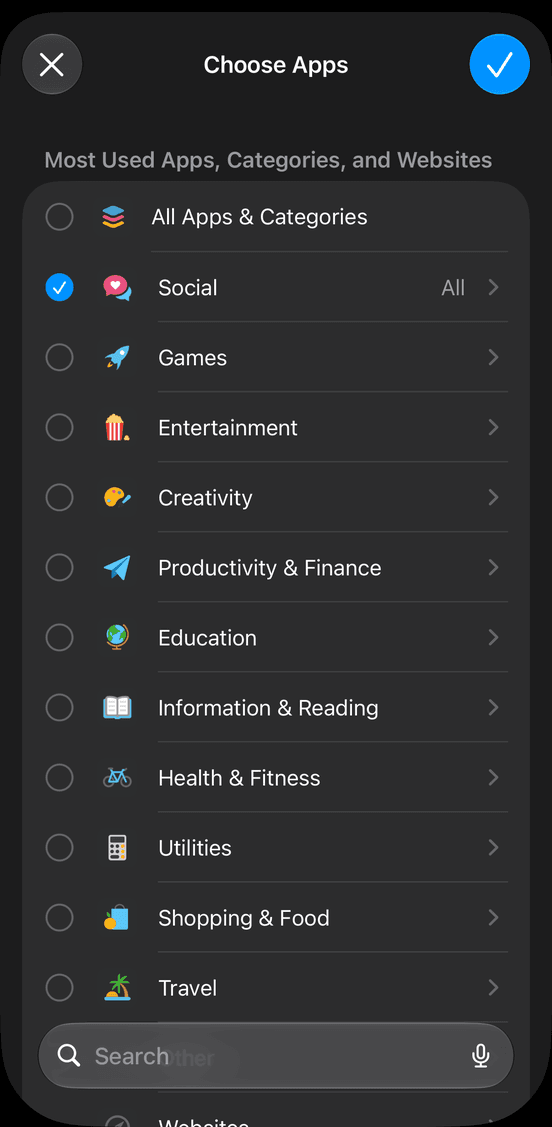
Pick the apps
Tap App Limits › Add Limit, tick a category like Social, then tap Next.
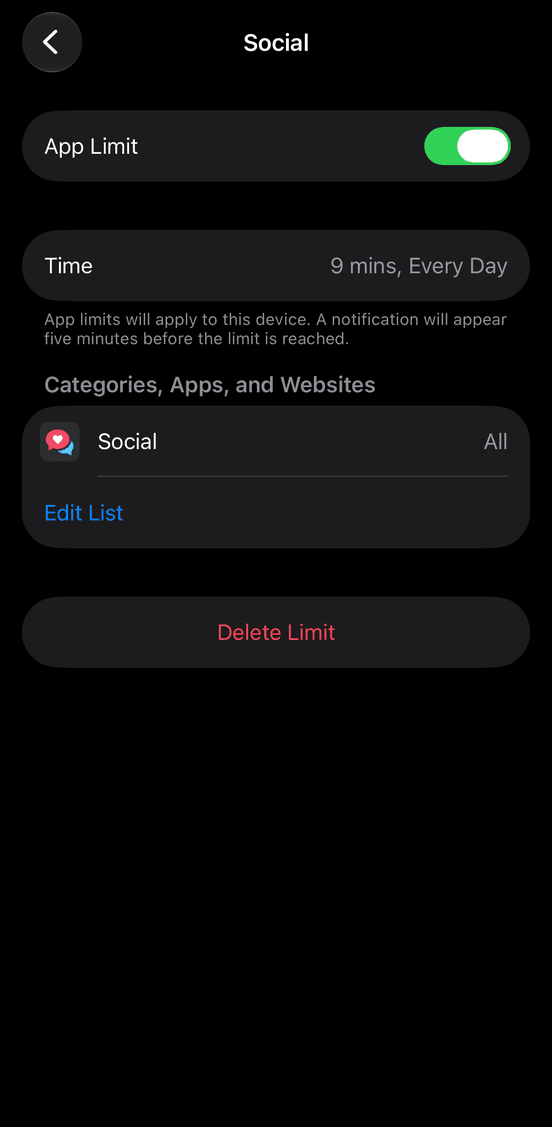
Set the time
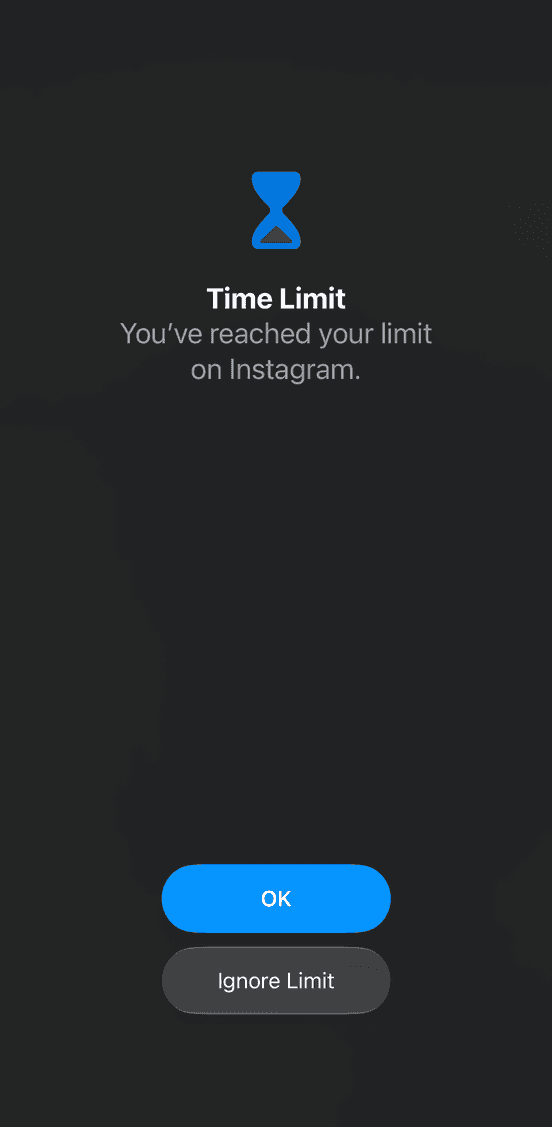
Choose your daily time and tap Add. When it runs out, the app shows “Time Limit”.
Make it harder to skip (optional)
Set a Screen Time passcode with Lock Screen Time Settings, then turn on Block at End of Limit. It works best when someone else picks the passcode.
The catch
Without a passcode you don’t know, the “Time Limit” screen has an Ignore Limit button. One tap, and you’re back in.
Why we made lizlo
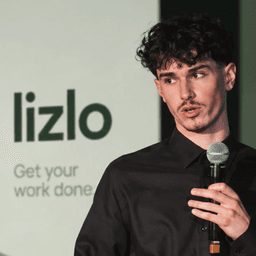
Timers didn’t stop me. I could end the timer and go straight back to scrolling. So I made lizlo.
Will, founder of lizlo · Our story
Way 2
lizlo’s Focus mode
A free iPhone app that uses Apple’s own Screen Time to block the apps you pick, now or on a schedule.
Pick Focus
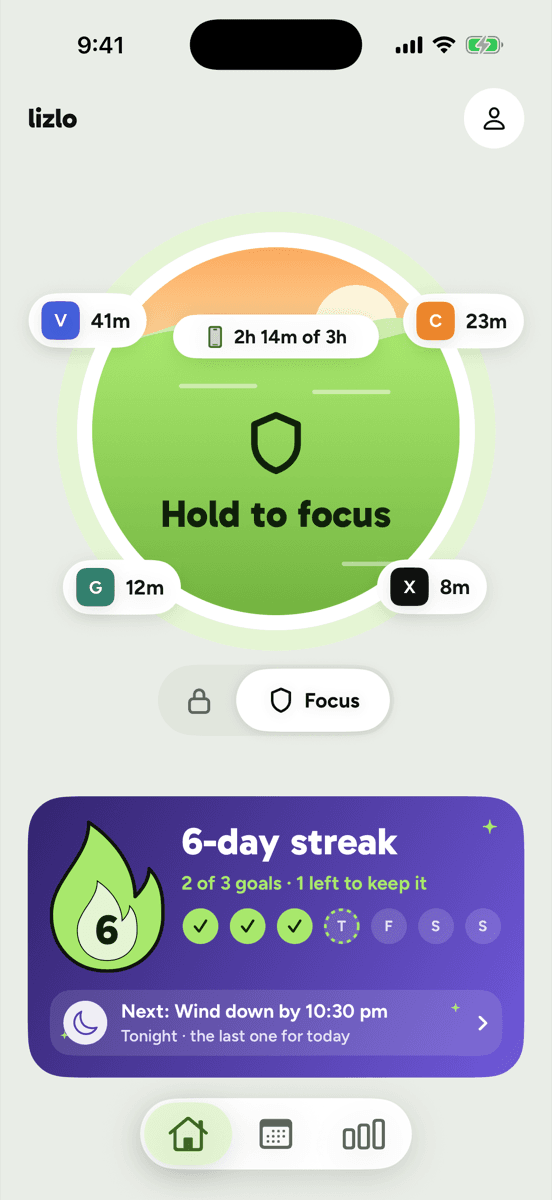
Get lizlo from the App Store. On Home, switch from the lock to Focus.
Choose the apps
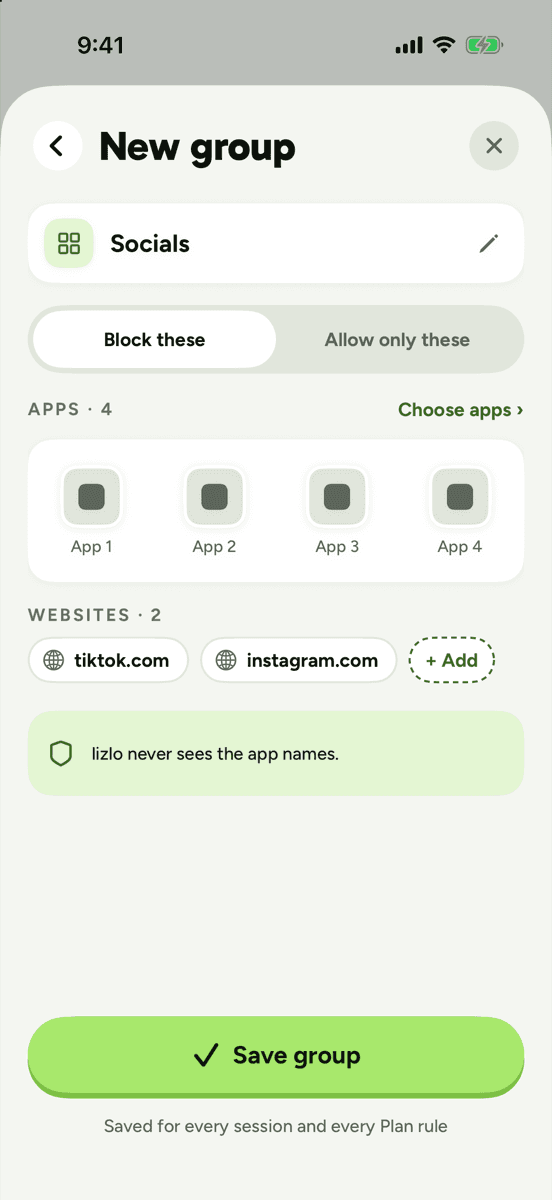
Make a New group and tap Choose apps to tick them in Apple’s picker. Add websites too, like tiktok.com.
Fill in your promise
Pick how long, what it’s for, and your breaks: none, a set number, or longer each time.
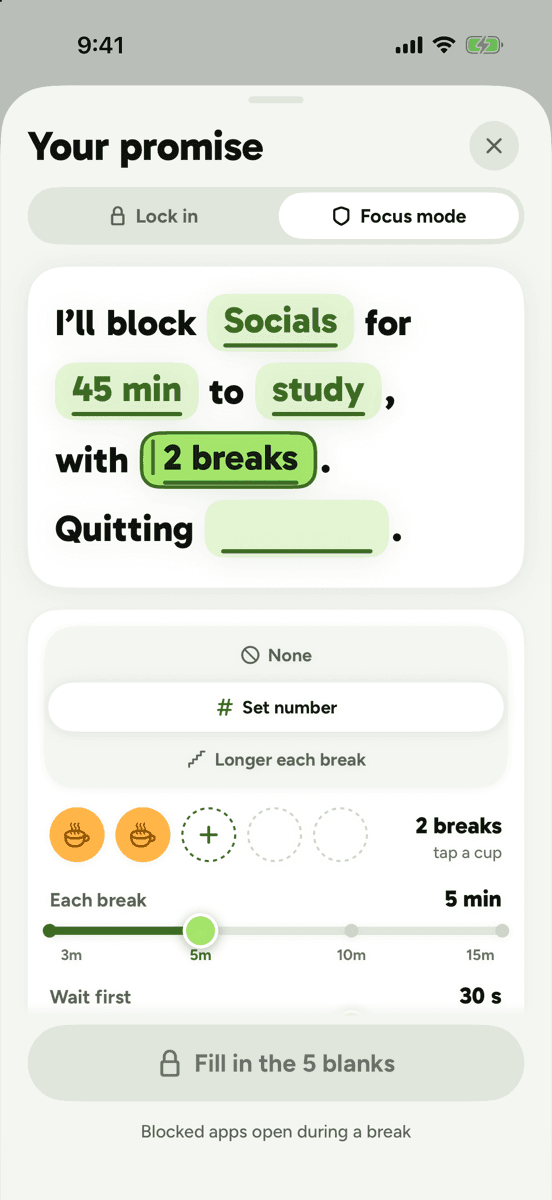
Hold to start
Choose what quitting early takes, like a 30-second pause, then press and hold Hold to make the promise.
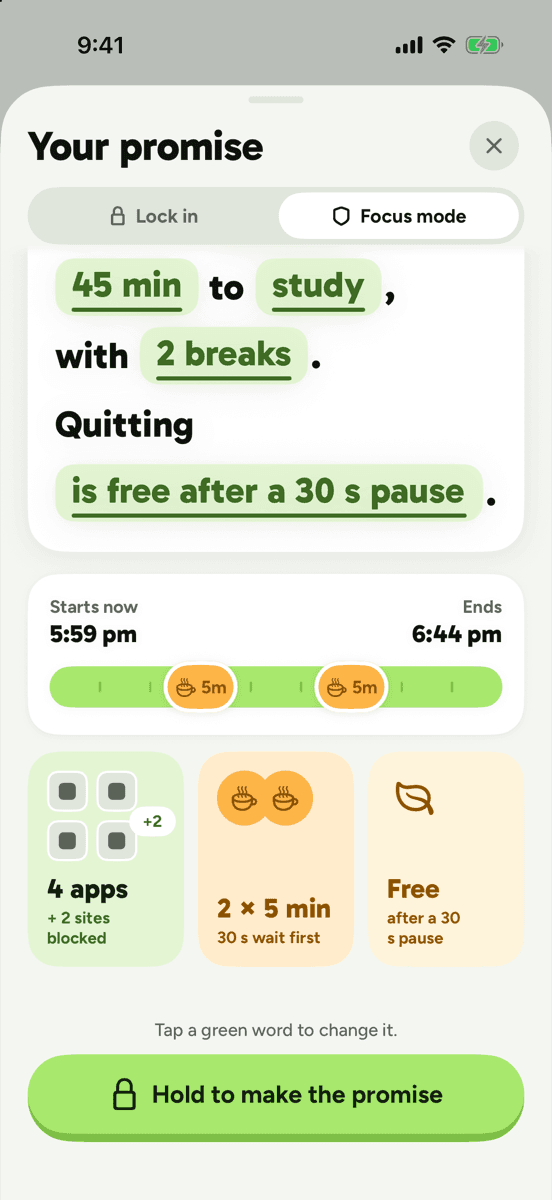
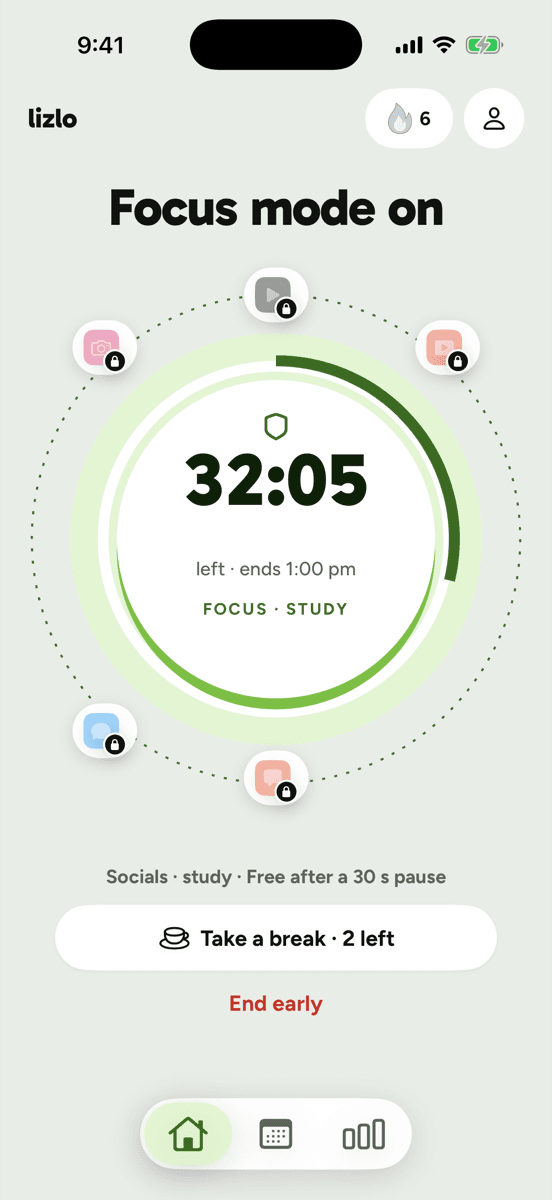
Focus mode is on
Your apps stay blocked until the timer ends. Need one? Take a break.
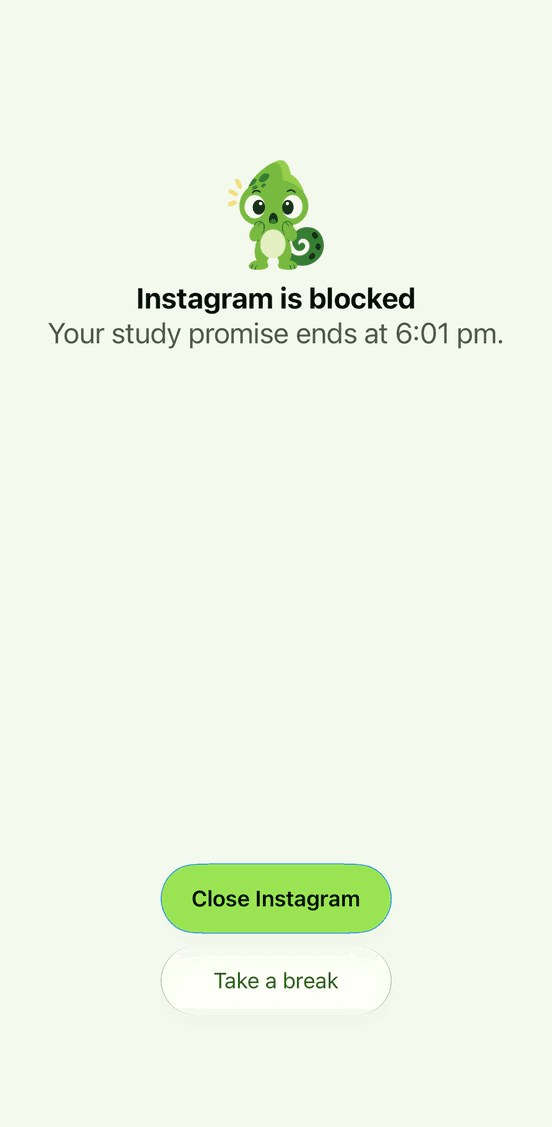
Try a blocked app
lizlo shows it’s blocked and when your session ends.
You can also block apps on a schedule, or cap an app’s time each day. Screen Time usage data never leaves this iPhone.

Questions people ask next
Can I block websites too?
Yes. In lizlo’s Focus mode you can add websites to a group. Apple’s App Limits can include websites too.
Will I still get calls and texts?
Focus mode doesn’t use Guided Access. Calls and texts still work.
What about locking an app with Face ID?
Since iOS 18 you can touch and hold an app and choose Require Face ID. It keeps other people out, but you can still open it with your own face.
What’s the difference between Focus mode and Lock in?
Lock in locks your whole iPhone. Focus mode blocks only the apps you pick.
Is lizlo free?
Yes. lizlo is free on iPhone.
Can lizlo see my screen time?
Apple draws the exact minutes. lizlo keeps only rough totals on this iPhone and never sends Screen Time data anywhere.